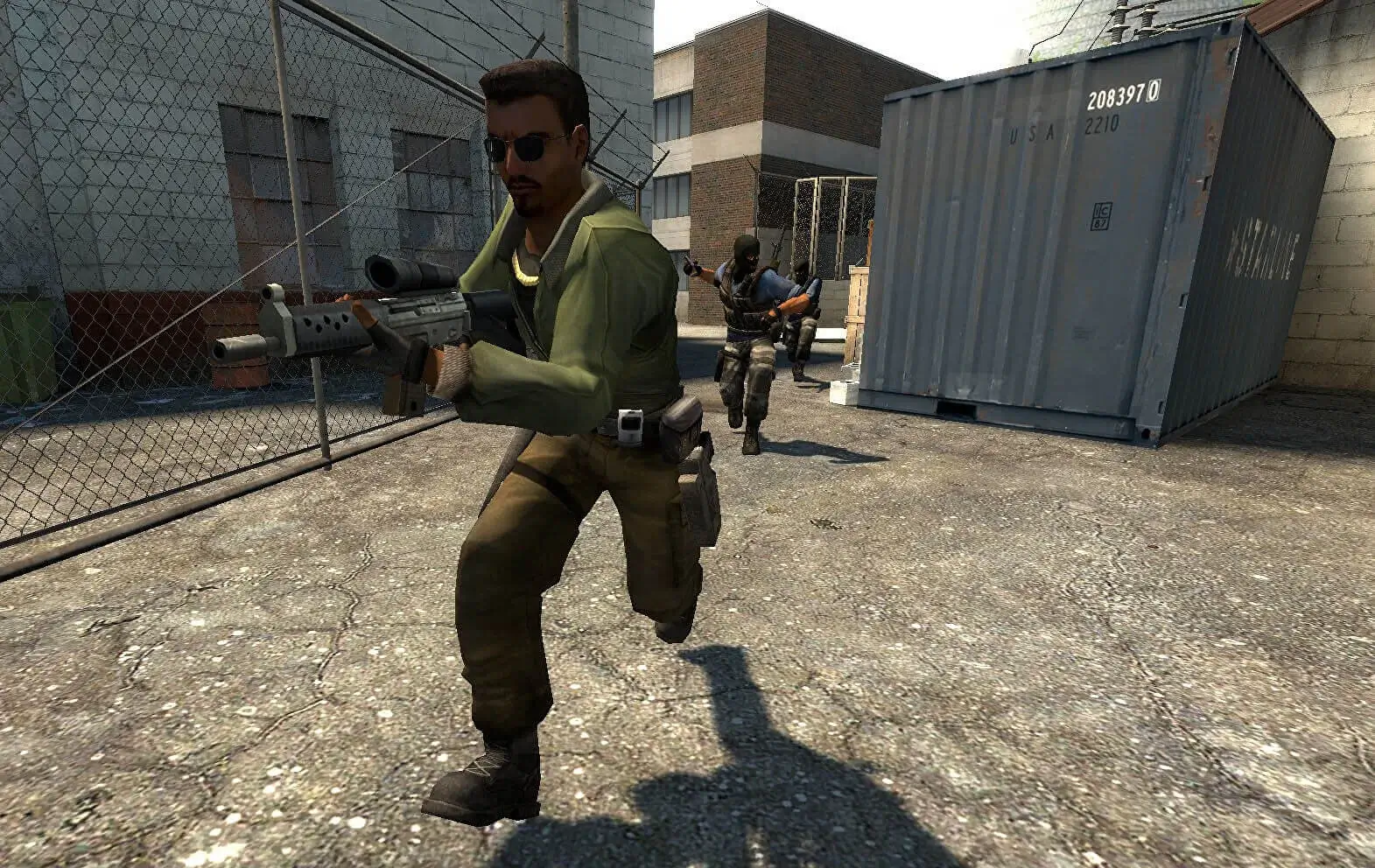
Counter-Strike: Source moved the game onto the Source engine, and with it came a much larger set of console variables than CS 1.6 ever had. Round rules, economy, bots, physics and network settings all sit behind mp_ and sv_ commands.
Search the full list below, then add what you need to your Counter-Strike: Source server. Every entry shows the default value, a description and flags telling you whether it runs on the server or on the client.
1,471 commands in total
| Command | Default | Description |
|---|---|---|
| — | Erases current game stats and writes out a blank stats fileCommandServer | |
| — | Shutdown and restart the engine.CommandServer | |
Default: 0 | Turn on achievement debug msgs.ServerCheatReplicated | |
| — | Add an IP address to the ban list.CommandServer | |
Default: 1 | No description is published for this one.Server | |
Default: 0 | No description is published for this one.Server | |
Default: 0 | No description is published for this one.Server | |
Default: 0 | No description is published for this one.Server | |
Default: 0 | No description is published for this one.Server | |
Default: 0 | No description is published for this one.Server | |
Default: 0 | Debug the NPC dynamic interaction system.Server | |
Default: 0 | No description is published for this one.Server | |
Default: 0 | No description is published for this one.Server | |
Default: 0 | Show random expression decisions for NPCs.Server | |
Default: 0 | No description is published for this one.Server | |
Default: 0 | No description is published for this one.Server | |
Default: 0 | No description is published for this one.Server | |
Default: 0 | NPC Line-Of-Sight debug mode. If 1, solid entities that block NPC LOC will be highlighted with white bounding boxes. If 2, it'll show non-solid entities that would do it if they were solid.ServerCheat | |
Default: 0 | No description is published for this one.Server | |
| — | Debug the attempted connection between two nodesCommandServer | |
Default: 0 | No description is published for this one.Server | |
Default: 0 | No description is published for this one.ServerCheatReplicated | |
Default: 0 | No description is published for this one.Server | |
Default: 0 | No description is published for this one.Server | |
Default: 0 | No description is published for this one.Server | |
Default: 0 | No description is published for this one.Server | |
Default: 0 | No description is published for this one.Server | |
Default: 0 | No description is published for this one.ServerCheat | |
| — | Drop an ai_hint at the player's current eye position.CommandServer | |
| — | No description is published for this one.CommandServer | |
Default: 0 | No description is published for this one.Server | |
Default: 1 | No description is published for this one.Server | |
Default: 0 | Maximum frametime to still play background expressions.Server | |
Default: 0 | Disable npc background expressions when you can't see them.Server | |
Default: 720 | No description is published for this one.Server | |
Default: 1 | No description is published for this one.Server | |
Default: 1 | No description is published for this one.Server | |
Default: 1 | No description is published for this one.Server | |
Default: 1 | No description is published for this one.Server | |
Default: 0 | No description is published for this one.Server | |
Default: 50 | frametime limit for min efficiency AIE_NORMAL (in sec's).Server | |
Default: 0 | No description is published for this one.Server | |
Default: 0 | No description is published for this one.ServerReplicated | |
Default: 0 | No description is published for this one.Server | |
Default: 0 | No description is published for this one.Server | |
Default: 0 | No description is published for this one.Server | |
Default: 0 | No description is published for this one.Server | |
Default: 8 | No description is published for this one.Server | |
Default: 0 | No description is published for this one.Server | |
Default: 0 | No description is published for this one.Server | |
Default: 0 | No description is published for this one.Server | |
Default: 0 | No description is published for this one.Server | |
Default: 0 | No description is published for this one.Server | |
Default: 0 | No description is published for this one.Server | |
Default: 1 | No description is published for this one.Server | |
Default: 1 | No description is published for this one.Server | |
Default: 1 | No description is published for this one.Server | |
Default: 0 | No description is published for this one.Server | |
Default: 512 | No description is published for this one.Server | |
Default: 0 | No description is published for this one.Server | |
Default: 0 | No description is published for this one.Server | |
Default: 1 | No description is published for this one.Server | |
Default: 0 | No description is published for this one.ServerArchived | |
Default: 0 | No description is published for this one.Server | |
| — | Set how high AI bumps up ground walkers when checking stepsCommandServer | |
Default: 0 | Shows that bones that are setup every thinkServer | |
Default: 1 | No description is published for this one.Server | |
Default: 1 | No description is published for this one.ServerReplicated | |
Default: -1 | No description is published for this one.ServerReplicated | |
Default: 0 | No description is published for this one.Server | |
Default: 1000 | No description is published for this one.Server | |
Default: 0 | No description is published for this one.Server | |
Default: 0 | No description is published for this one.Server | |
Default: 0 | No description is published for this one.Server | |
Default: 0 | No description is published for this one.Server | |
Default: 3 | No description is published for this one.Server | |
Default: 0 | No description is published for this one.Server | |
Default: 0 | No description is published for this one.Server | |
Default: 0 | No description is published for this one.Server | |
Default: 0 | No description is published for this one.Server | |
Default: 0 | No description is published for this one.Server | |
Default: 0 | No description is published for this one.ServerArchived | |
Default: 1 | No description is published for this one.Server | |
Default: 1 | No description is published for this one.Server | |
Default: 1 | No description is published for this one.Server | |
Default: 1 | No description is published for this one.Server | |
Default: 1 | No description is published for this one.Server | |
Default: 1 | No description is published for this one.ServerCheat | |
| — | Changes the density of air for drag computations.CommandServer | |
| — | Alias a command.CommandServer | |
Default: 30 | No description is published for this one.ServerReplicated | |
Default: 52 | No description is published for this one.ServerReplicated | |
Default: 100 | No description is published for this one.ServerReplicated | |
Default: 35 | No description is published for this one.ServerReplicated | |
Default: 200 | No description is published for this one.ServerReplicated | |
Default: 90 | No description is published for this one.ServerReplicated | |
Default: 100 | No description is published for this one.ServerReplicated | |
Default: 90 | No description is published for this one.ServerReplicated | |
Default: 120 | No description is published for this one.ServerReplicated | |
Default: 32 | No description is published for this one.ServerReplicated | |
Default: 2 | No description is published for this one.ServerReplicated | |
Default: 1 | No description is published for this one.ServerReplicated | |
Default: 1 | No description is published for this one.ServerReplicated | |
Default: 1 | Toggle the 3-way animation blending code.ServerReplicated | |
Default: 1 | Allow AsyncBegin/EndRead()Server | |
Default: 0 | Set the async filesystem mode (0 = async, 1 = synchronous)Server | |
| — | No description is published for this one.CommandServer | |
Default: 0 | Force async reads to serialize for profilingServer | |
Default: 0 | Simulate a delay of up to a set msec per file operationServer | |
| — | No description is published for this one.CommandServer | |
Default: 0 | No description is published for this one.Server | |
Default: 2160 | No description is published for this one.Server | |
| — | Attempt to purchase items with the order listed in cl_autobuyCommandServer | |
| — | Add a user ID to the ban list.CommandServer | |
| — | Add an IP address to the ban list.CommandServer | |
| — | Ends gathering of info.CommandServer | |
| — | Starts gathering of info. Arguments: filename to write results intoCommandServer | |
| — | Bind a key.CommandServer | |
| — | Bind this key but only on Mac, not win32CommandServer | |
| — | Performs a bind <key> 'increment var <cvar> 0 1 1'CommandServer | |
| — | bloodCommandServer | |
| — | bot_add <t|ct> <type> <difficulty> <name> - Adds a bot matching the given criteria.CommandServer | |
| — | bot_add_ct <type> <difficulty> <name> - Adds a Counter-Terrorist bot matching the given criteria.CommandServer | |
| — | bot_add_t <type> <difficulty> <name> - Adds a terrorist bot matching the given criteria.CommandServer | |
| — | Allows the bots to use all weaponsCommandServer | |
Default: 1 | If nonzero, bots may use grenades.ServerReplicated | |
Default: 1 | If nonzero, bots may use the machine gun.ServerReplicated | |
Default: 1 | If nonzero, bots may use pistols.ServerReplicated | |
Default: 1 | If nonzero, bots may use rifles.ServerReplicated | |
Default: 1 | If nonzero, bots may occasionally go 'rogue'. Rogue bots do not obey radio commands, nor pursue scenario goals.ServerReplicated | |
Default: 1 | If nonzero, bots may use shotguns.ServerReplicated | |
Default: 1 | If nonzero, bots may use sniper rifles.ServerReplicated | |
Default: 1 | If nonzero, bots may use sub-machine guns.ServerReplicated | |
Default: 0 | If nonzero, bots with high co-op may automatically follow a nearby human player.ServerReplicated | |
Default: 1 | If nonzero, bots will automatically leave to make room for human players.ServerReplicated | |
| — | Control how bots talk. Allowed values: 'off', 'radio', 'minimal', or 'normal'.ServerReplicated | |
Default: 0 | Force all bots to crouch.ServerCheat | |
Default: 0 | For internal testing purposes.ServerCheatReplicated | |
Default: 0 | For internal testing purposes.ServerCheatReplicated | |
Default: 0 | If nonzero and there is a human on the team, the bots will not do the scenario tasks.ServerReplicated | |
Default: 1 | Defines the skill of bots joining the game. Values are: 0=easy, 1=normal, 2=hard, 3=expert.ServerReplicated | |
Default: 0 | If nonzero, bots will not fire weapons (for debugging).ServerCheatReplicated | |
Default: 2000 | If nonzero, bots will not buy if their money falls below this amount.ServerReplicated | |
Default: 0 | If nonzero, bots use no CPU for AI. Instead, they run around randomly.ServerCheatReplicated | |
Default: 0 | No description is published for this one.ServerCheat | |
| — | Sends a bot to the selected nav area (useful for testing navigation meshes)CommandServer | |
Default: 1 | If nonzero, bots wait until a player joins before entering the game.ServerReplicated | |
Default: 0 | Prevents bots from joining the server for this many seconds after a map change.Server | |
| — | Determines the team bots will join into. Allowed values: 'any', 'T', or 'CT'.ServerReplicated | |
| — | bot_kick <all> <t|ct> <type> <difficulty> <name> - Kicks a specific bot, or all bots, matching the given criteria.CommandServer |
Or search above to jump straight to the one you need.
Values marked Server belong in your cstrike/cfg/server.cfg. Values marked Client are typed into each player’s own console.
How to Use CS:S Server Commands
Source games read cstrike/cfg/server.cfg when the server starts and on every map change.
- Log in to Bropanel and select your CS:S server.
- In the sidebar, open
Files. - Open
cstrike/cfg/server.cfg. - Add one command per line, such as
mp_roundtime 3. - Save the file and restart your server.
To change something mid-match, use the Console tab in the panel or connect with rcon. Live changes apply at once and revert when the server restarts.
Most Used CS:S Server Commands
| Command | Default | What it does |
|---|---|---|
hostname | empty | Sets the server name shown in the browser. |
sv_password | empty | Locks the server behind a password. |
rcon_password | empty | Sets the admin password for rcon. |
sv_downloadurl | empty | Points clients at your FastDL host for custom files. |
mp_timelimit | 0 | Minutes of game time per map. |
mp_maxrounds | 0 | Rounds before the server changes map. |
mp_winlimit | 0 | Score one team can reach before the map changes. |
mp_roundtime | 2 | Round length in minutes. |
mp_freezetime | 6 | Seconds players stay frozen at round start. |
mp_startmoney | 800 | Money each player gets on reset. |
mp_buytime | 1 | Minutes after round start that players can buy. |
mp_c4timer | 45 | Bomb timer in seconds. |
mp_friendlyfire | 0 | Set to 1 to let teammates damage each other. |
mp_autoteambalance | 1 | 0 off, 1 forced switch, 2 ask for volunteers. |
mp_limitteams | 2 | Player difference allowed between teams. 0 disables. |
mp_forcecamera | 1 | Restricts what dead players can spectate. |
sv_alltalk | 0 | Set to 1 so both teams hear each other. |
sv_cheats | 0 | Set to 1 to unlock cheat commands. |
sv_gravity | 800 | World gravity. |
sv_lan | 0 | Set to 1 for a LAN only server. |
bot_quota | 0 | How many bots the server keeps in the game. |
bot_difficulty | 1 | Bot skill. 0 easy, 1 normal, 2 hard, 3 expert. |
sv_pure and Custom Content
sv_pure decides how strictly the server checks player files. It matters as soon as you run custom maps or models.
| Value | Effect |
|---|---|
| -1 | No checking. Players can load any custom files they like. |
| 0 | Players may use custom files that are not in the whitelist. |
| 1 | Files must match the server whitelist in cstrike/cfg/pure_server_whitelist.txt. |
| 2 | Everything must match the server files. Strictest setting. |
Run sv_pure with no value in the console to print the current mode.
How to Open the Console in CS:S
- Open Counter-Strike: Source and go to
Options. - Select the
Keyboardtab and clickAdvanced. - Tick
Enable developer console (~). - Click
OK, then press the~key in game.
FAQ
Why does my server.cfg get ignored?
The file has to sit in cstrike/cfg/server.cfg, not in the root cstrike folder. That is a change from CS 1.6, which reads cstrike/server.cfg. Also check that no plugin config runs later and overwrites your value.
What is the difference between mp_maxrounds and mp_winlimit?
mp_maxrounds counts every round played and changes map once it hits the number. mp_winlimit watches each team's score and changes map when either team reaches it. Set the one you want and leave the other at 0.
How do I add bots to my CS:S server?
Set bot_quota to the number you want and bot_difficulty to the skill level. Add both lines to your server.cfg. Use bot_add in the console to drop in a single bot without changing the quota.
A command works in my own console but not on the server. Why?
Check its flags in the list. Commands marked Client only ever affect the machine that runs them. Commands marked Cheat need sv_cheats 1 on the server first, and that setting is replicated to every player.